Oliver Page
Product Announcement
March 26, 2026

Introducing Advanced Threat Search: Find and Remove Email Threats Across Your District in Minutes
Every K-12 IT director knows the drill. A staff member reports a suspicious email, or your detection tools flag a potential phishing attempt. Now you need to figure out who else received it, how far it spread, and how to remove it before anyone clicks.
For districts without a dedicated security operations team, that investigation can eat up an entire morning. You're logging into email admin consoles, searching mailboxes one at a time, cross-referencing timestamps, and hoping you've caught every copy. Meanwhile, the threat is sitting in inboxes across the district.
Advanced Threat Search gives K-12 IT teams a faster way to find, investigate, and remove email-based threats from a single screen.
Search across every inbox in seconds
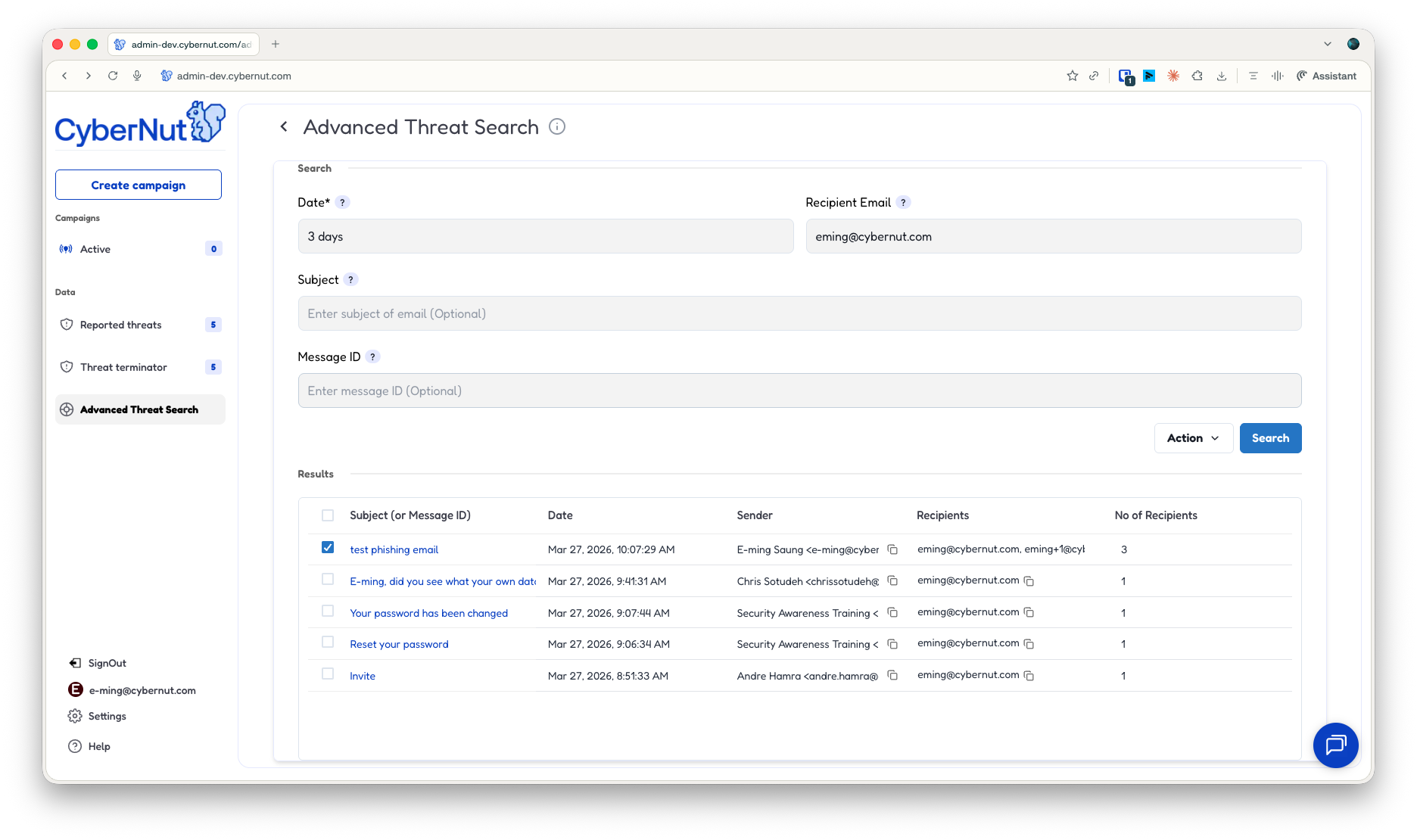
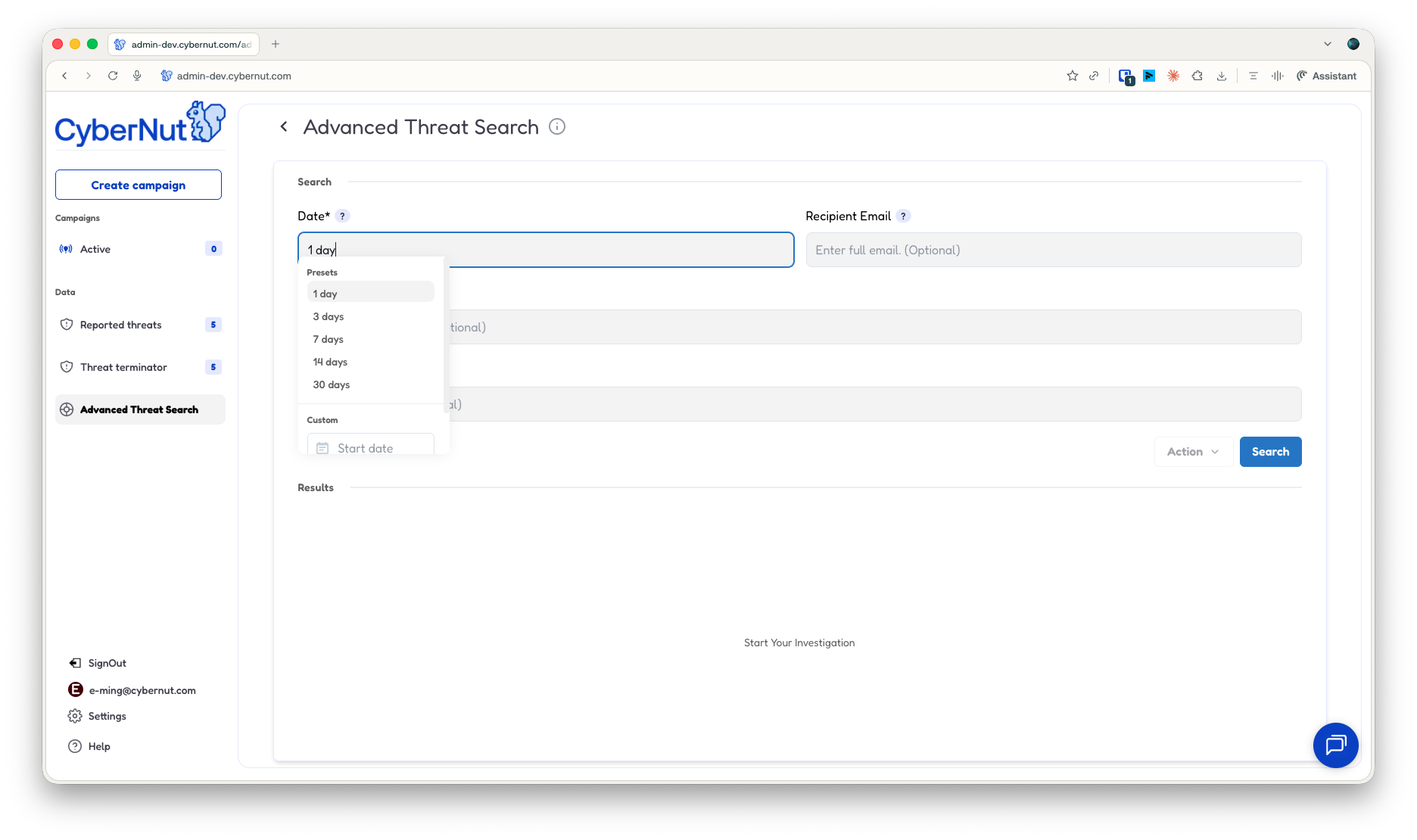
Advanced Threat Search is accessible directly from your Reported Threats dashboard. Click the search icon and you're in the Advanced Search interface, where you can search your entire email environment by recipient, subject, message ID, or date range. The default search window covers the last 24 hours, with options to quickly select a timeframe or a custom range.
Results are automatically de-duplicated. If the same phishing email was sent to 50 staff members, you see one entry with full details, not 50 separate results to sort through.
Investigate without leaving the platform
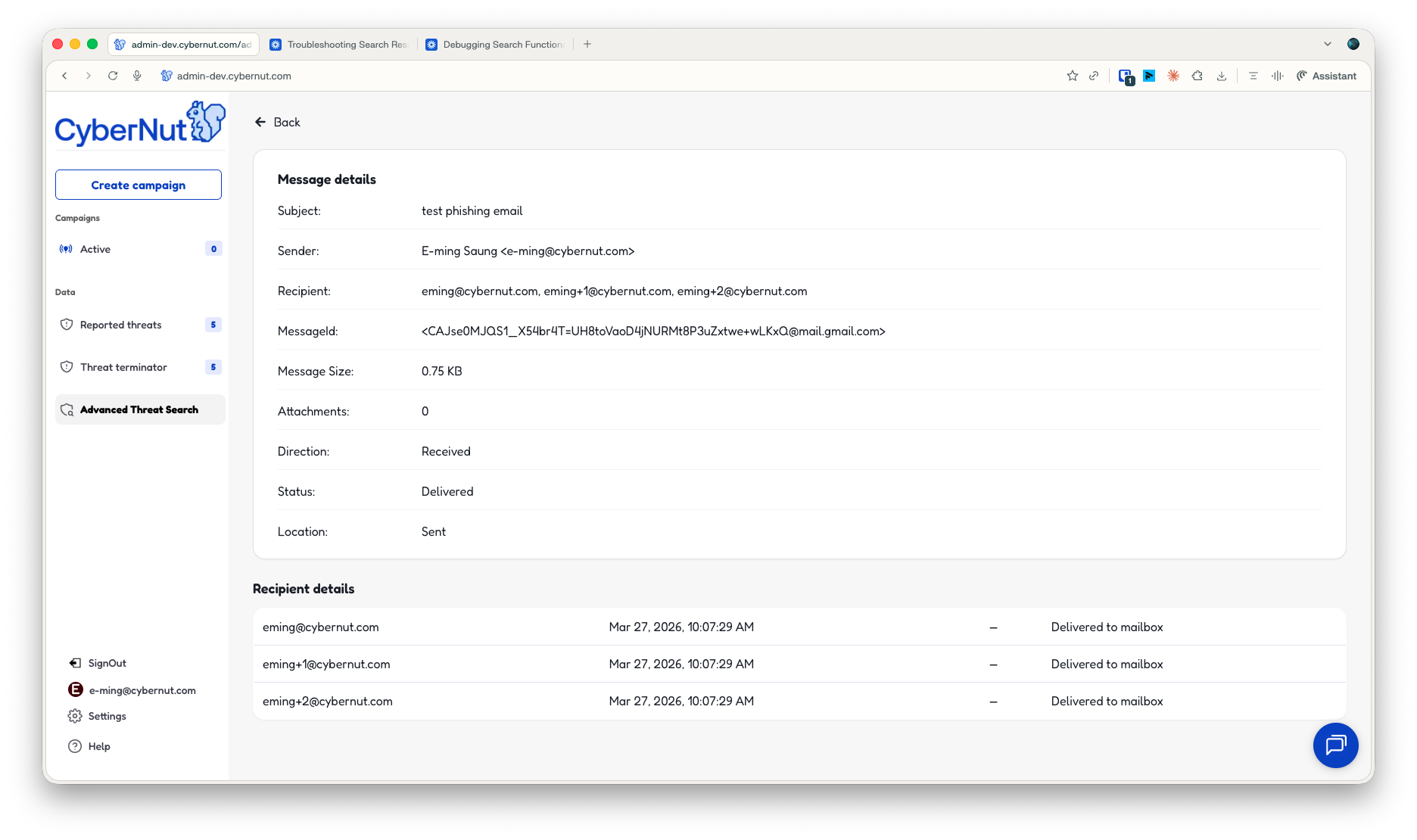
When you need to dig deeper, click into any search result to view full message details: sender, recipient, message ID, message size, attachment count, delivery direction, status, and recipient-level timestamps. You can assess where a message actually came from and confirm its delivery status without switching to a separate tool or exporting data.
For IT teams managing multiple priorities, keeping the entire investigation in one place saves real time.
Take action the moment you have answers
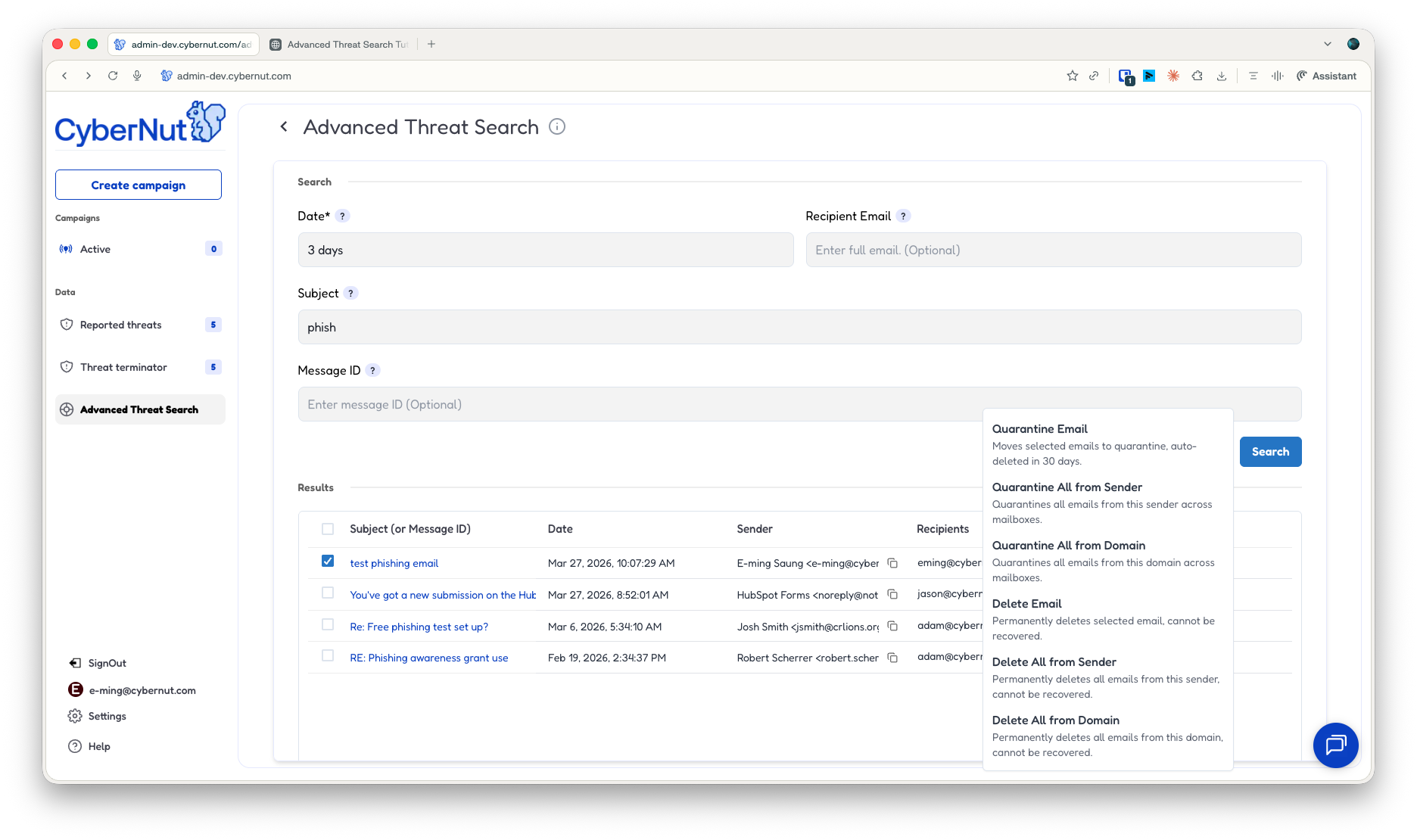
Once you've identified a threat, Advanced Threat Search gives you remediation options right from the search results. Click "Remediate" on any result and choose from: Quarantine this, Quarantine All from Domain, Quarantine All from Sender, Delete this, Delete All from Domain, or Delete All from Sender. Irreversible actions like delete will require an additional confirmation step to prevent accidental removal.
That bulk capability matters most during active incidents. If a compromised account is sending phishing emails to your staff, you can quarantine every message from that sender across all inboxes in one action rather than cleaning up mailbox by mailbox.
Built for how K-12 IT teams actually work
Most email investigation tools are designed for enterprise security teams with dedicated analysts and large toolsets. K-12 IT teams need something different: a tool that's fast, self-contained, and doesn't require specialized training to use effectively.
Advanced Threat Search fits into the workflow your team already uses in Active Threat Manager. Take a reported threat, search for it across the domain, investigate it, and remove it, all in one place.
Get started
Advanced Threat Search is available now for all Active Threat Manager customers. Log in to your CyberNut dashboard, click on "Advanced Threat Search" in the left hand navigation bar or click on the search icon on Reported Threats to get started. You can also watch the demo walkthrough to see the full workflow in action.
For the full feature overview, visit the Advanced Threat Search product page.
For current CyberNut customers: Advanced Threat Search is available now. Reach out to your Customer Success Manager to get started or to walk through the feature together.
Not a CyberNut customer yet? See how phishing simulation training and one-click threat removal work together in a single K-12 platform. Sign up for a demo or contact us.
Oliver Page
Some more Insights


Back
.png)
.png)

.png)
.png)
.png)
.png)